[!TIP]
Mobile Quick Access: Enjoy smooth, lag-free gaming on both mobile data and Wi-Fi networks across the Philippines.
👉 Play on LOVEJILI Official Portal
Managing your financial transactions smoothly is the cornerstone of a positive online gaming experience. LOVEJILI provides tailored cashier options designed specifically for the Philippine domestic economy, prioritizing accessibility through dominant e-wallets like GCash, Maya, and GrabPay, alongside direct online bank transfers and cryptocurrency gateways. However, navigating payment limits, avoiding processing delays, understanding regulatory e-wallet policies, and calculating turnover requirements before requesting a cashout can be challenging for both new and experienced players. This authoritative guide delivers step-by-step instructions, fee avoidance strategies, and troubleshooting workflows for all deposits and withdrawals on LOVEJILI.
Supported Payment Channels, Limits & Processing Times
Before initiating a transfer, review the operational parameters across each available cashier channel.
| Payment Method | Min Deposit | Max Deposit | Min Withdrawal | Max Withdrawal | Typical Processing Speed | Transaction Fees |
|---|---|---|---|---|---|---|
| GCash (QR / Direct) | ₱100 | ₱50,000 | ₱200 | ₱50,000 | 5–15 Minutes | 0% (Platform) |
| Maya (PayMaya) | ₱100 | ₱50,000 | ₱200 | ₱50,000 | 5–15 Minutes | 0% (Platform) |
| GrabPay | ₱100 | ₱20,000 | ₱200 | ₱20,000 | 10–20 Minutes | 0% (Platform) |
| Online Banking (InstaPay/PESONet) | ₱500 | ₱100,000 | ₱500 | ₱100,000 | 15–45 Minutes | Bank charges may apply |
| USDT (Tether TRC-20) | ₱1,000 (~$20) | No Max | ₱1,000 | ₱250,000 | 5–10 Minutes (Blockchain) | Network gas fee only |
Note: Individual e-wallet transaction maximums may also be limited by your personal GCash or Maya wallet tier (e.g., Basic vs. Fully Verified monthly incoming caps).
Important Philippine Regulatory Context (BSP & E-Wallets)
Under Bangko Sentral ng Pilipinas (BSP) Memorandum M-2025-029, supervised financial institutions and e-wallet operators were instructed to disallow direct embedded gambling links within their native mobile applications. Consequently, licensed and popular gaming operators in the Philippines handle e-wallet transactions through external, encrypted merchant payment gateways rather than embedded in-app browser windows.
When funding your LOVEJILI balance, you will generate an encrypted payment order on the casino cashier and authorize the transfer through your official e-wallet app using standard QR Ph or mobile transfer protocols.
Step-by-Step LOVEJILI Deposit Walkthrough
Funding your casino wallet is instant and automated when following the standard cashier procedure.
┌────────────────────────────────────────────────────────┐
│                 DEPOSIT PROCESS FLOW                   │
├────────────────────────────────────────────────────────┤
│ 1. Log In to LOVEJILI & Click "Deposit" / "Cashier"    │
│ 2. Select Preferred Payment Gateway (GCash / Maya)     │
│ 3. Enter Desired Deposit Amount (Min. ₱100)            │
│ 4. (Optional) Choose Active Promotional Bonus to Apply │
│ 5. Click "Submit" to Generate Payment QR / Account Info│
│ 6. Open GCash/Maya & Scan QR or Send Exact Amount      │
│ 7. Save Reference Number / Screenshot of Receipt       │
│ 8. Funds Automatically Credit within 1–5 Minutes       │
└────────────────────────────────────────────────────────┘
Depositing via GCash
- Log in to your LOVEJILI account and click the "Deposit" icon on the main header.
- Select "GCash" from the available payment channels.
- Choose a preset amount (₱100, ₱300, ₱500, ₱1,000, ₱5,000) or manually input your custom figure.
- If you wish to claim a deposit incentive (such as the 100% First Deposit Match), select the corresponding promotion from the drop-down menu before proceeding.
- Tap "Submit Deposit". The system will redirect to a secure payment gateway displaying a dynamic QR Ph code or merchant mobile account number.
- Open your GCash app, tap "Scan QR", and scan the generated code (or send the exact amount to the displayed receiver number).
- Confirm payment within the GCash interface.
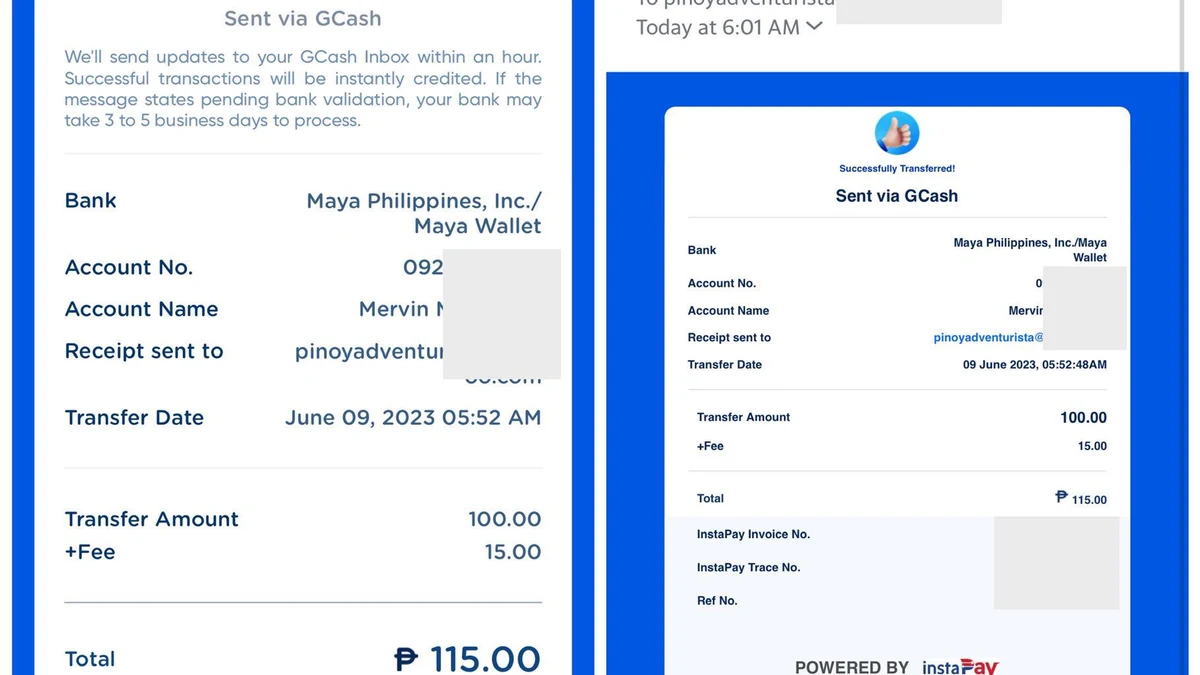
- Take a screenshot of the successful transaction containing the 13-digit GCash Reference Number.
- Return to LOVEJILI; your casino wallet balance will update automatically within 60 to 180 seconds.
Depositing via Maya
- Open the LOVEJILI cashier and choose "Maya".
- Enter the amount to transfer and submit the request.
- Use the dynamic payment link or scan the QR Ph prompt using your verified Maya application.
- Verify the merchant name and authenticate the transaction via Maya Face ID/Fingerprint or SMS OTP.
- Once confirmed, return to the casino lobby and refresh your balance.
Step-by-Step LOVEJILI Withdrawal Walkthrough
Before requesting a cashout, ensure you have completed your player identity profile and fulfilled all turnover obligations.
┌────────────────────────────────────────────────────────┐
│               WITHDRAWAL PROCESS FLOW                  │
├────────────────────────────────────────────────────────┤
│ 1. Navigate to Member Center > "Withdrawal"            │
│ 2. Bind Your Verified GCash, Maya, or Bank Account     │
│ 3. Confirm Legal Account Name Matches Casino Profile   │
│ 4. Verify Active Bonus Turnover Status (100% Complete) │
│ 5. Enter Cashout Amount (Min. ₱200)                    │
│ 6. Enter 6-Digit Withdrawal Security PIN               │
│ 7. Submit Request & Monitor Cashier Audit Status       │
│ 8. Funds Credited Directly to Your Personal E-Wallet   │
└────────────────────────────────────────────────────────┘
Executing Your Withdrawal
- Tap the "Withdrawal" tab located inside your Member Dashboard.
- If this is your first withdrawal, select "Add Bank / E-Wallet Card". Enter your 11-digit GCash or Maya mobile number, ensuring the account name matches your registered full legal name.
- Create a 6-digit withdrawal transaction PIN for future cashout authorisations.
- Input the amount you wish to withdraw (minimum ₱200).
- Enter your security PIN and tap "Submit Withdrawal".
- The request status will display as "Under Review". Once audited by the automated payment system (typically 5 to 30 minutes), the funds will transfer directly into your personal e-wallet.
Understanding Turnover (Rollover) Requirements
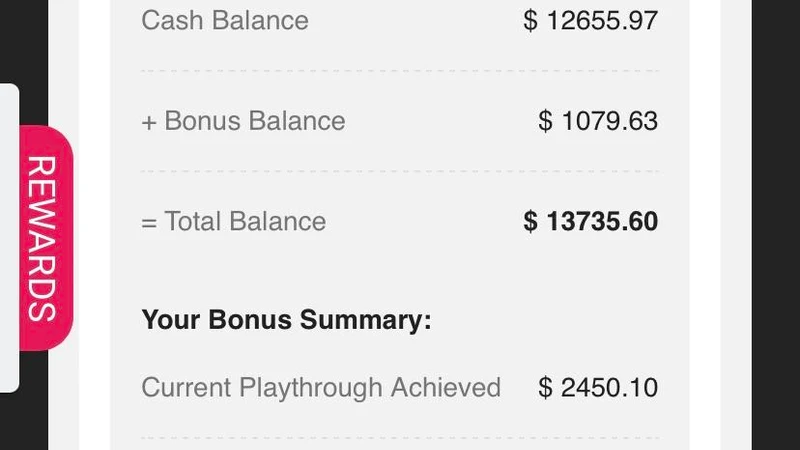
The most common reason players experience delayed or rejected withdrawals is attempting to cash out before satisfying mandatory wagering turnover.
What is Turnover?
Turnover refers to the total cumulative sum of all bets placed—regardless of whether individual spins win or lose.
$$\text{Required Turnover} = (\text{Deposit Amount} + \text{Bonus Amount}) \times \text{Turnover Multiplier}$$
Practical Turnover Example
- You deposit: ₱500
- You claim a 100% Welcome Bonus: ₱500 (Total Balance: ₱1,000)
- Stated turnover requirement: 15x
- Total cumulative bets required: $(₱500 + ₱500) \times 15 = \mathbf{₱15,000}$ in total wagers.
If you make 300 spins at ₱50 per spin on JILI Super Ace, your accumulated turnover equals $300 \times ₱50 = ₱15,000$, and your remaining balance becomes 100% withdrawable immediately.
Pro Tip: Standard deposits claimed without any promotional bonus carry a standard 1x turnover requirement under anti-money laundering (AML) protocols before cashout is enabled.
Troubleshooting Payment Delays & Failed Transactions
| Symptom | Cause | Diagnostic Action |
|---|---|---|
| Deposit Not Credited After 10 Mins | Network transmission delay or mismatched reference number | Contact 24/7 Live Chat. Provide your username, the exact deposit amount, time of payment, and upload the GCash/Maya receipt screenshot. |
| Withdrawal Request Rejected: "Name Mismatch" | The legal name on your GCash/Maya does not match your registered casino profile | Casino regulations forbid third-party cashouts to prevent fraud. You must withdraw to an account bearing your exact verified name. |
| Withdrawal Blocked: "Turnover Incomplete" | Active bonus or standard deposit rollover remains unfulfilled | Check your "Promotion History" tab to view remaining wagering progress before submitting a new cashout request. |
| GCash Limit Exceeded | Your personal GCash wallet has reached its monthly incoming limit (e.g., ₱100,000 for standard verified accounts) | Upgrade your GCash wallet tier or switch your registered withdrawal channel to Maya or a commercial bank account. |
📱 Ready to Start Playing?
Join thousands of verified Filipino players and enjoy instant deposits and fast withdrawals via GCash, Maya, and local banks.
👉 Claim Welcome Bonus on LOVEJILI
Frequently Asked Questions (LOVEJILI Banking)
Are there any fees for depositing or withdrawing on LOVEJILI?
LOVEJILI charges zero platform fees for standard deposits and withdrawals. However, your local cellular carrier or banking provider may apply nominal inter-bank transfer charges (such as ₱15 InstaPay fees for certain bank transfers).
How long does a GCash withdrawal take on LOVEJILI?
Most automated GCash withdrawals are processed and credited within 10 to 30 minutes. Large cashouts (exceeding ₱50,000) or initial withdrawals requiring KYC manual review may take between 1 and 2 hours.
Can I deposit using my friend's or relative's GCash account?
No. Using third-party e-wallets or bank accounts is strictly prohibited by anti-fraud algorithms. Deposits from unverified names will be frozen, and withdrawals to third-party accounts will be rejected automatically.
Is cryptocurrency (USDT) faster than GCash?
USDT (TRC-20) transfers settle within 3 to 10 minutes on the blockchain and are free from domestic e-wallet monthly incoming caps, making crypto an excellent option for high-volume players.
Editorial & Implementation Metadata
Suggested Internal Links
- LOVEJILI Login & Security Portal — Access your account to check wallet balances.
- LOVEJILI New Member Registration — Sign up and bind your payment accounts.
- LOVEJILI Promotions & Daily Rebates — Review bonus turnover multipliers before depositing.
- LOVEJILI Mobile APK Download — Convenient on-the-go cashier access.
Authoritative External References
- Bangko Sentral ng Pilipinas (BSP): Memorandum M-2025-029 and electronic wallet payment guidelines (
bsp.gov.ph). - Anti-Money Laundering Council (AMLC Philippines): Regulatory standards on transaction monitoring and identity verification (
amlc.gov.ph).
Recommended Schema Markup
ArticleSchemaHowToSchema (Deposit and withdrawal step-by-step guides)FAQPageSchema
Suggested Images & Alt Text
lovejili-gcash-cashier-deposit-screen.webp— Alt Text: LOVEJILI cashier interface showing GCash deposit selection and QR Ph payment generation.lovejili-withdrawal-binding-form.webp— Alt Text: LOVEJILI withdrawal dashboard showing verified e-wallet card binding and turnover status monitor.